


The decisions that can make or break your NetSuite implementation
Leading a successful NetSuite implementation is about more than configuring software. It’s about making strategic business decisions before, during, and after the project.
NetSuite is a powerful platform for managing financials, operations, customer information, inventory, reporting, and more. But the software itself doesn’t determine the success of your implementation. Your project team, business processes, data, integrations, and user adoption all play a role.
Below are eight important areas to think through as you plan your implementation.
Decision 1: Decide What Success Looks Like
Before you start talking about your NetSuite configuration, start talking about the business reasons behind the implementation project.
Why are you implementing NetSuite? What isn’t working today? What needs to improve? What does success look like six months or a year after go-live?
Your answers will help guide decisions throughout the project.
You might be implementing NetSuite because you’ve outgrown QuickBooks, need to connect your inventory and accounting systems, are ready to move to cloud ERP, or some other reason. Whatever the impetus is, the real goals might be to shorten your monthly close, improve inventory visibility, eliminate manual spreadsheets, automate order processing or give leadership better access to key information.
Your underlying business goals should influence the project scope and priorities.
It’s also helpful to define what you have to have at go-live and what can come later. Trying to accomplish everything at once can make an implementation harder than it needs to be.
Before the project begins, identify:
- The business problems NetSuite needs to solve
- Your most important project objectives
- How you’ll measure success
- The processes that need the most improvement
- Must-have capabilities for go-live
- Potential Phase 2 improvements
Start the project focused on the ideal business outcomes to give your implementation team a clear target.
Decision 2: Decide Who Owns the Project and Who Makes Decisions
An ERP implementation is a cross-functional business project. It can’t be owned solely by IT or your implementation partner.
You need a team who understand how your business actually operates, including the people responsible for finance, sales, operations, purchasing, inventory, manufacturing and other core processes. For small businesses and teams, one person might wear multiple hats on a project team. That’s okay, and we’ve helped multiple small businesses navigate NetSuite implementations.
Just as important, is deciding who has the authority to make decisions. What happens when Finance wants one approach and Operations wants another? Who makes the final call? How will decisions be made, and communicated to the rest of the team?
Establish clear roles, responsibilities, and decision-making authority from the beginning.
Important people to identify on your project team are: executive sponsor, project manager, core project team, business process owners, and NetSuite administrator. You’ll also need to make sure those people have enough time to participate in the project.
A strong project team does more than just attend meetings. They help make decisions, validate processes, review results, and champion the project across the organization.
Decision 3: Decide What Data Is Worth Bringing Into NetSuite
Data migration can be complicated. Your legacy system may contain years of customer records, vendors, items, transactions and other information. That doesn’t mean all of it belongs in your new ERP.
Before migrating data to NetSuite, determine what data you actually need in NetSuite, what should be cleaned up, and what can be archived.
Think about your data in four categories:
Migrate. Data that’s needed to operate the business or meet reporting and compliance requirements.
Clean. Data that needs to be corrected, standardized, de-duplicated or otherwise prepared before migration.
Archive. Historical information that needs to be retained but doesn’t need to live in NetSuite.
Leave behind. Old, redundant or unnecessary information that doesn’t provide enough value to justify bringing it forward.
Assign ownership to the above. Your implementation partner can provide the tools and expertise needed to migrate data, but your internal team needs to take responsibility for the accuracy and completeness of the data. Our NetSuite implementation checklist recommends assigning owners and cleansing responsibilities for major data sets, including customers, vendors, items, employees, locations, open transactions, and inventory.
The better prepared your data is, the easier it is to test your new system and trust the information coming out of it.
Decision 4: Decide What Needs to Connect to NetSuite
NetSuite should be the main, central system, but it probably won’t be the only software you use to run your business.
You might rely on third-party systems for shipping, tax software, CRM, or other applications.
The first step is to create an inventory to avoid surprises during the implementation project. For every third-party system, document:
System → Purpose → Direction → Frequency → Data exchanged → Owner → Vendor Contact
Once you have the list, you can ask a more important question: Does this system really need to integrate with NetSuite?
Sometimes the answer is yes. Sometimes the implementation presents an opportunity to eliminate a redundant system, simplify a process or move functionality into NetSuite.
The earlier you understand your integration landscape, the fewer surprises you’ll have later.
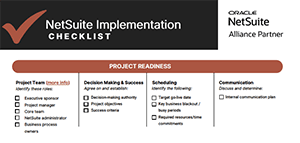
NetSuite Implementation Checklist
SETTING UP FOR SUCCESS
Decision 5: Decide On Configurations and Customizations
Here is a challenging question that comes up during every ERP implementation project: when you run into a business process that doesn’t align with the built-in ERP functionality, do you:
- Adapt the business process, or
- Customize NetSuite to match the way you work today
In some cases, the best answer is to adopt a standard NetSuite process. In others, there might be a configuration that can accommodate the business requirement without custom development. And sometimes customization is justified because a particular process provides meaningful competitive or operational value.
The goal isn’t to eliminate customization at all costs. The goal is to make customization a deliberate business decision rather than automatically recreating every legacy process in the new system.
Your implementation partner can help by developing a NetSuite blueprint, based on your business needs. The blueprint is a clear picture of how the system will be structured, how key processes will work, what integrations are required, and where customization is appropriate.
NetSuite isn’t going to look exactly like your old system. It’s going to look like a solution that gives your business a better way to operate.
Decision 6: Decide What Information is Critical
Pushing reporting requirements toward the end of an implementation is a mistake.
Easier access to faster and more reliable data is a key business benefit to implementing new ERP software.
Identify the reports and information your business relies on today. Ask:
- What decisions does our business need to make on a weekly, monthly, quarterly, or annual basis – and what information do we need to make these decisions?
- What information do key stakeholders and executives want to see on a regular basis? What are our top KPIs?
Make special note of reports that currently pull information from multiple systems.
Your checklist should include financial statements, management and operational reports, KPI dashboards, compliance and regulatory reporting, historical reporting and department-specific reporting such as customer, inventory, or sales information.
Decision 7: Decide How You’ll Prove the System Works
Testing and training are critical parts of a successful NetSuite implementation.
Comprehensive testing demonstrates that NetSuite supports the way you want your business to actually operate.
That means testing real business scenarios from beginning to end.
Your User Acceptance Testing (UAT) team should represent the people who will actually use the system. It’s important to define test scenarios in advance, and make sure participants have time to complete the testing.
Training is also important, and effective training is about more than teaching users basic system navigation.
People need to understand how their jobs and business processes work in NetSuite.
Your training plan may include:
- Role-specific training
- Super users
- New-process documentation
- Communication workflows
- Post-go-live support
The goal isn’t simply to get users through training. It’s to give them the confidence to use the new system successfully after go-live.
Decision 8: Decide How NetSuite Will Evolve After Go-Live
Go-live is not the finish line. It’s the beginning of your long-term relationship with NetSuite.
As time goes on you’ll identify opportunities to improve processes, automate additional tasks, enhance reporting, add functionality, or take advantage of new NetSuite capabilities.
It’s important to have a process for evaluating and prioritizing those opportunities.
Who owns NetSuite after implementation? How are enhancement requests handled? What becomes a Phase 2 project? How will you decide whether a new NetSuite feature is worth adopting?
A strong long-term strategy includes regular system reviews, user feedback, process optimization, release planning, and a prioritized roadmap of future improvements.
An experienced NetSuite support team can provide value in this area. An ongoing partner can help identify opportunities to improve processes, reporting, workflows, integrations, and overall system performance.
A NetSuite Implementation Checklist
A successful NetSuite implementation depends on more than completing a list of technical tasks. It requires your team to make thoughtful decisions about your business, your processes, your data, your technology, and your goals.
Our team of ERP experts created a NetSuite Implementation Checklist to help you get started on this endeavor.
One thing to remember is that you don’t have to make every decision on your own. A NetSuite implementation partner can help you along every step of the implementation process.
At Terillium, we’ve helped organizations implement and optimize ERP systems for more than 30 years. Our NetSuite team works with businesses to turn complex requirements into practical solutions and provide support well beyond go-live.